DiskCode
A disk space map for Mac and Windows, with safe cleanup. Free.
What it does
Pick a folder or your whole drive, and DiskCode shows where the space went, seven ways:
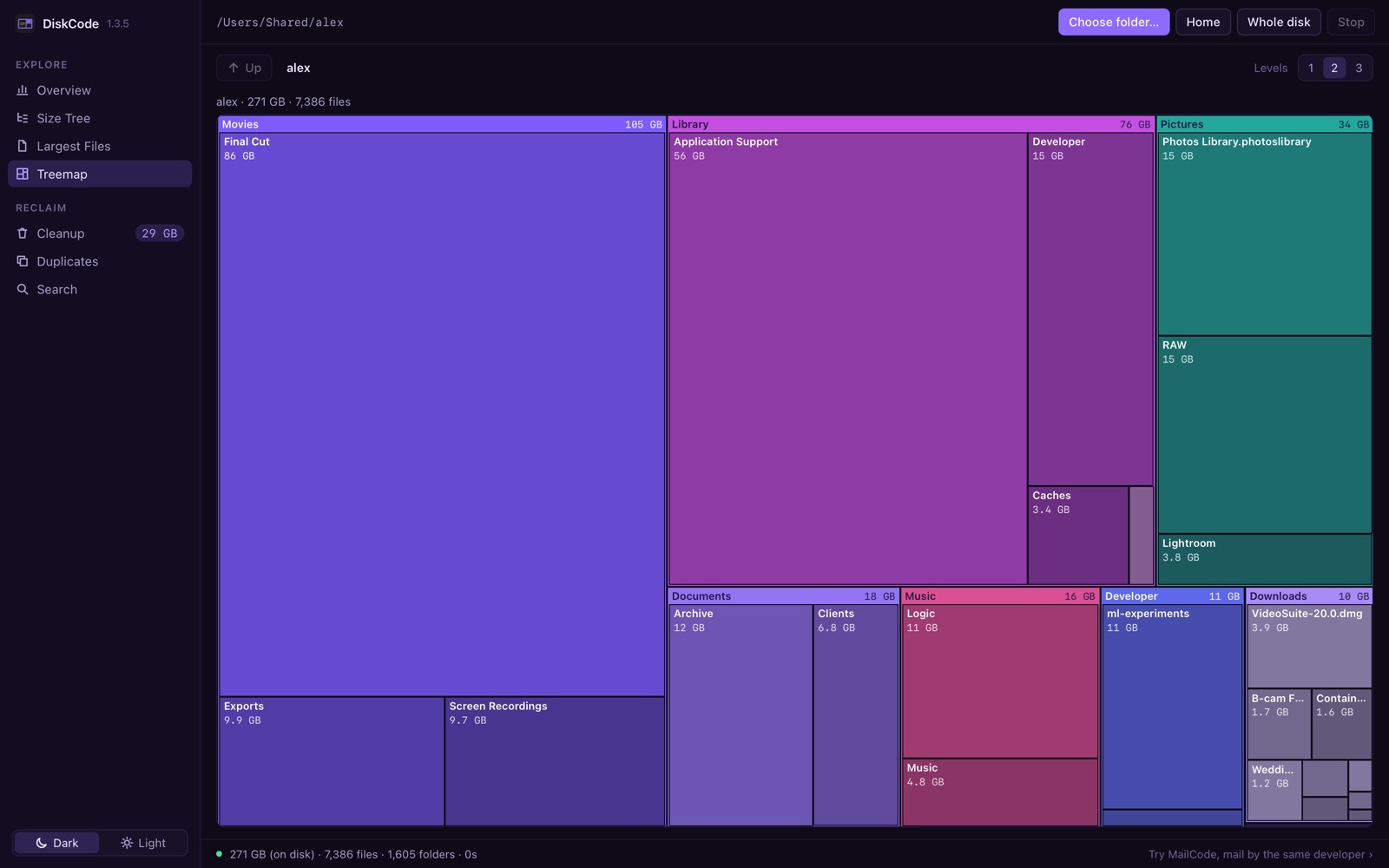
Overview — the whole drive accounted for: what was measured, what could not be reached and why, and what is free.Size Tree — every folder and file, biggest first, with Size and On disk side by side.Largest Files — the 500 biggest files anywhere below.Treemap — the folder as proportional tiles, up to three levels deep.Cleanup — caches, logs, old installers and build leftovers, each with the reason it is listed.Duplicates — byte-for-byte identical files, with one copy of every set always kept.Search — any file by name, biggest first, answered from a saved index in a fraction of a second.
The treemap of a sample home folder.
It cannot erase your files
DiskCode never deletes anything. What you select goes to the Trash on a Mac, the Recycle Bin on Windows — one restore away.
Nothing is ever selected for you, and Move to Trash always asks first.
Files the system protects are never offered.
Private by design
No account, no ads, no analytics, and no network connections. See the Privacy tab.
Get it
Free on both platforms. No account, no trial, nothing to unlock.
Mac
macOS 11 or later · Apple silicon and Intel
Download on the Mac App Store
Installed and kept up to date by the App Store. Choose Macintosh HD once on first launch and DiskCode can measure the whole disk.
Windows
Windows 10 or later · 64-bit (x64)
DiskCode 1.6.3 for Windows ZIP · 13 MB
Unzip it and run DiskCode.exe — there is nothing to install. The Windows build is not code-signed yet, so SmartScreen may warn once: choose More info , then Run anyway .
SHA-256 of the Windows download: ebc4ddc6ff31995b9d58d94685a418c184ad69603ab459e0c8d198e2d82aff39
 DiskCode
See where your disk space went.
DiskCode
See where your disk space went.